Pinterest Affiliate Marketing: What's Allowed
Written by Edward Cranmer on 13 minute read
What Pinterest allows, the two ways to place your links, and why a pin can keep earning months after you post it.
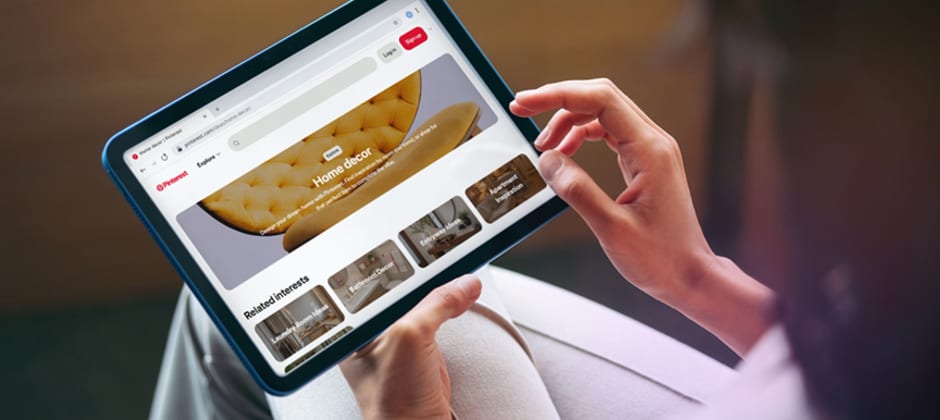
Pinterest works differently from other social platforms, built around visual search. People come looking for ideas, a kitchen renovation, a wedding, a capsule wardrobe, and they search the same way they would on Google.
That makes it well suited to affiliate marketing. Someone already looking for a product needs less convincing than someone scrolling past your post.
Two methods exist. The first sends people to your own site, where your affiliate links sit. The second points a pin straight at a product using your tracking link.
This guide covers what Pinterest permits, how to set both routes up, what the UK rules require, and why a single pin can keep earning long after you publish it.
Pinterest adds a few rules of its own on top of how affiliate marketing works everywhere else.
Are affiliate links allowed on Pinterest?
Yes. Pinterest permits affiliate links, and has done since 2016 after a brief period where they were blocked.
The platform sits outside the affiliate agreement itself. You join a network, generate your own tracking link, and Pinterest simply hosts the pin.
Four rules apply:
- Be transparent. Anyone seeing your pin should understand you may earn from it
- Send people where the pin says you will. Your title and description need to match what sits on the destination page
- Point direct affiliate links at a product detail page, rather than a homepage or a category listing
- Skip unsupported shorteners. Some services get blocked, and an affected pin can be edited rather than deleted
Breaking these rules risks the pin being removed or the link being blocked. Pinterest sets out the detail in its commercial and branded content guidelines.
The two ways to earn on Pinterest
Both routes end with commission on a sale. The difference is what happens between the pin and the purchase.
| Pin to your own site | Pin straight to a product | |
|---|---|---|
| Where the pin sends people | Your blog, review or landing page | The retailer's product page |
| What you need | A website or landing page | A tracking link and nothing else |
| Where the affiliate link sits | Inside your content | In the pin's destination URL |
| Best for | Comparisons, guides, multiple products | Single products with clear appeal |
| Watch out for | An extra step before the sale | Pinterest's product page rule applies |
Sending people to your own page gives you room to build a case, compare options and capture an email address. That contact stays yours, so one visitor can earn from you repeatedly rather than once.
Pointing a pin straight at a product removes a step. Someone browsing home decor ideas who spots the exact cushion set they want can buy it in two clicks. The trade is that you learn nothing about them and the relationship ends at checkout.
Most creators run both, matching the route to the pin. A styled room shot leads to a blog post covering everything in it. A single product close-up links directly to the product.
Our guide to affiliate marketing on social media covers how this choice plays out elsewhere.
Linking straight to a product from a pin
Pinterest asks that a direct affiliate link points at a shop's product detail page. A homepage or a category listing fails that test, and so does a link tree holding several offers.
Your pin title and description also need to match what sits on that page. Someone clicking a pin for a walnut side table should land on the walnut side table.
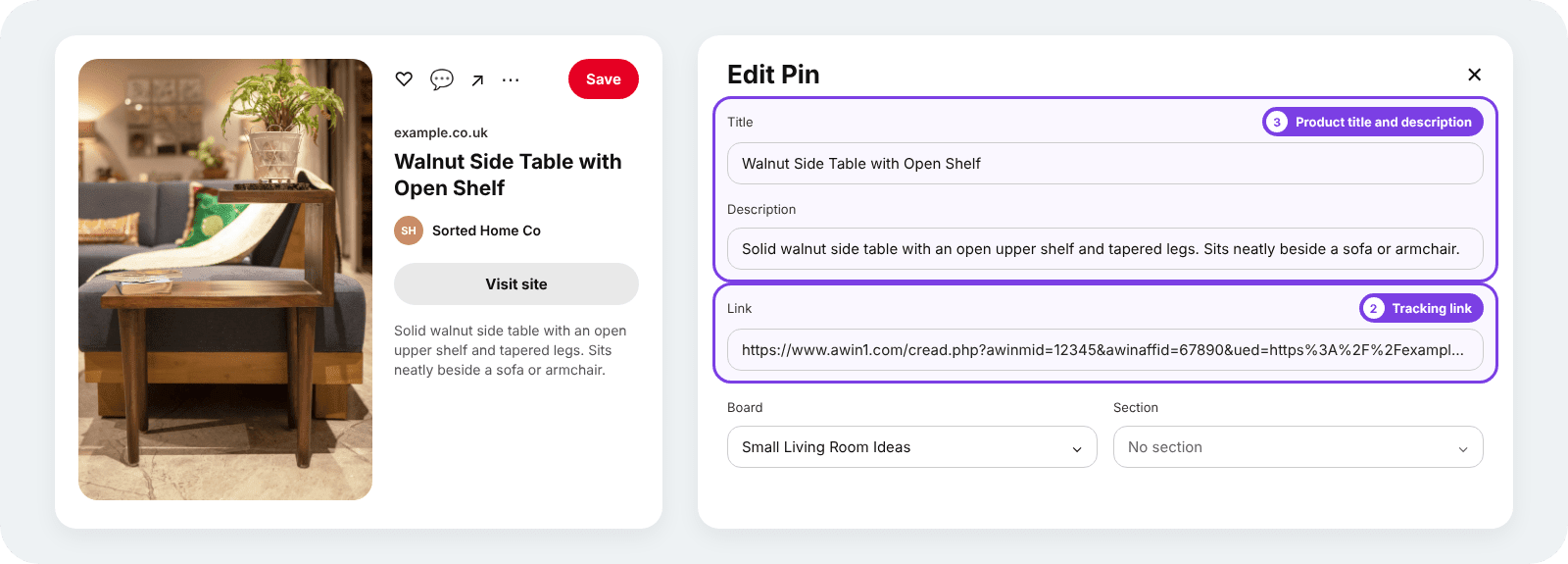
Setting one up takes three steps:
- Generate your tracking link for the exact product page you want to send people to
- Create your pin and paste that link into the destination URL field
- Write the title and description around the product itself, using the words someone would search for
 Video pins work the same way. Attach your tracking link to the destination URL and the video carries it like any static pin. Anyone already making short-form content for Instagram can repurpose it here rather than filming twice.
Pins get saved long before they get clicked, which puts more weight on tracking here than on a platform where people buy the same day. Our guide to how affiliate tracking works covers what happens in between.
Setting up your account
- Switch to a business account
Free to convert, and it unlocks analytics showing which pins drive clicks. Advertising tools come with it if you ever want them.
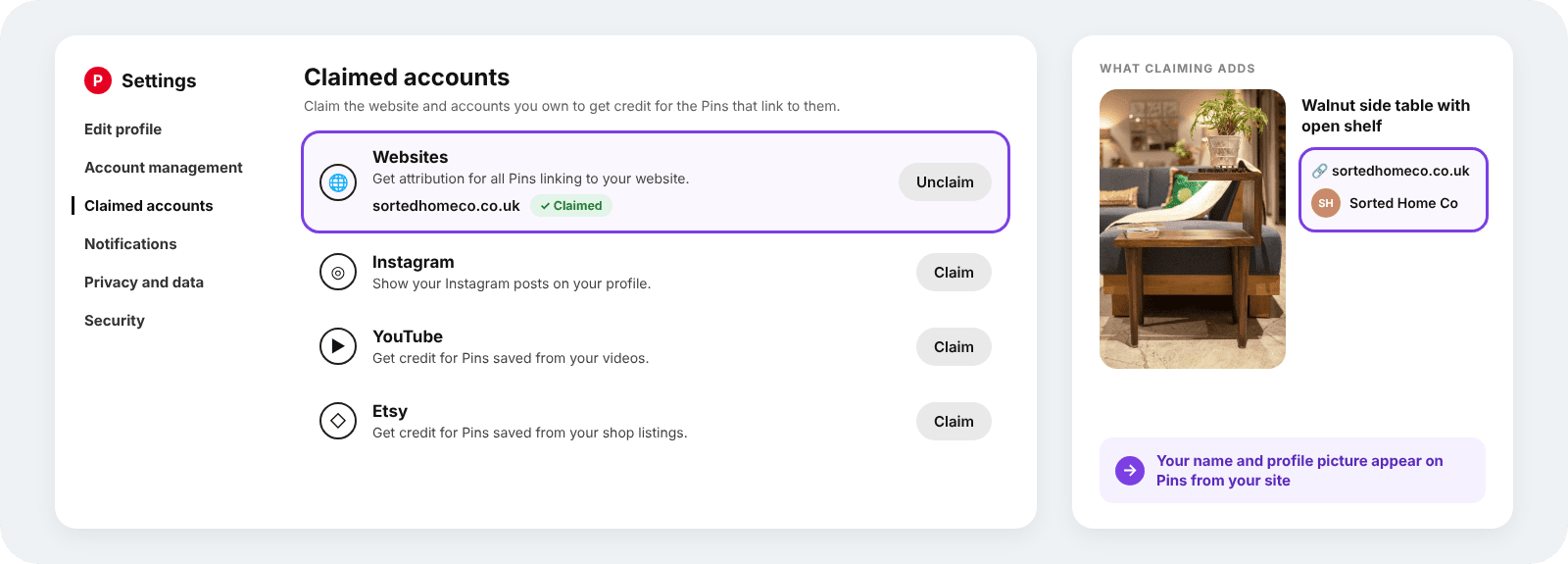
- Claim your website or other accounts
Claiming puts your profile picture and a follow button on every pin that comes from a site you own, and it feeds the analytics for anything pinned from there by someone else. Skip this only if you plan to link direct to retailers and nothing else.
- Turn on Rich Pins
Rich Pins pull live price, availability and description data from the destination page, so a pin shows the current price rather than whatever it cost when you published. They apply to pages you own, which makes them worth having before you build a review site.
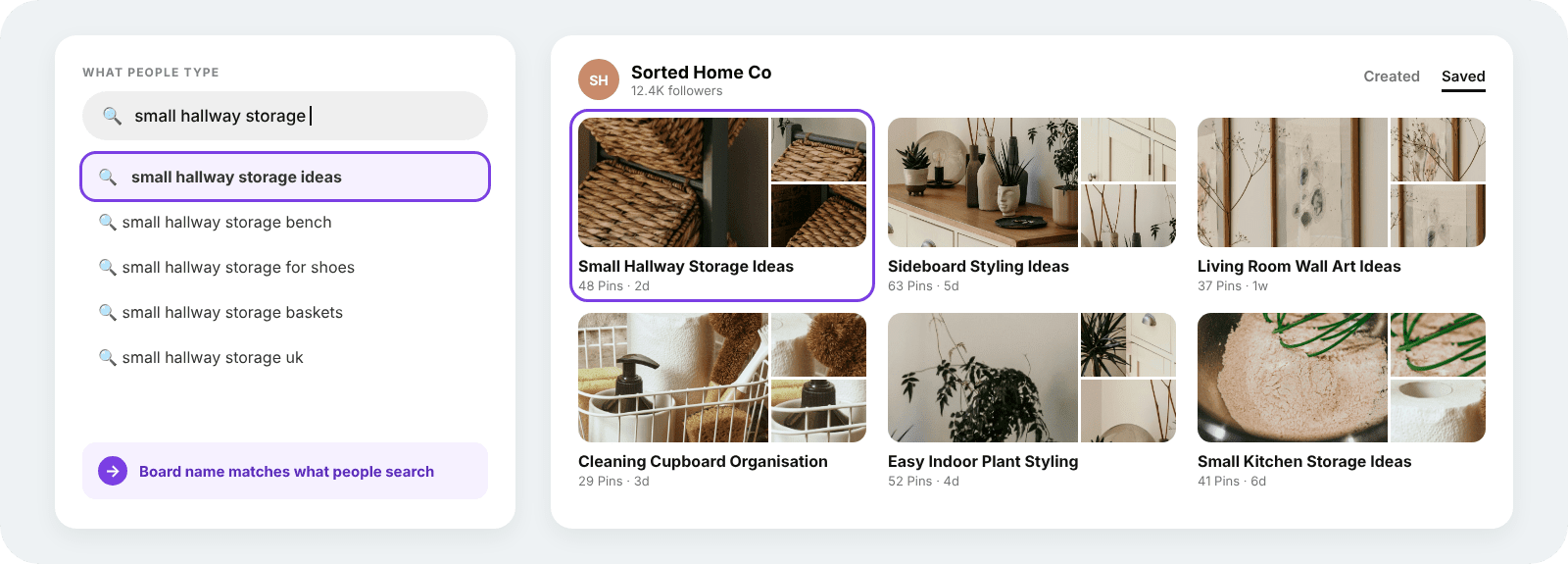
- Name your boards around what people search
Board titles feed into how Pinterest surfaces your content. Small kitchen storage ideas works where Kitchen stuff does nothing. Home, food, weddings, beauty and personal finance all perform well as broad areas to build within.
- Check the direct linking rules before you join a programme
Some advertisers restrict where their tracking links can appear, and a few prohibit direct linking from social platforms entirely. Read the programme terms as you apply rather than after you have built a board around a brand.
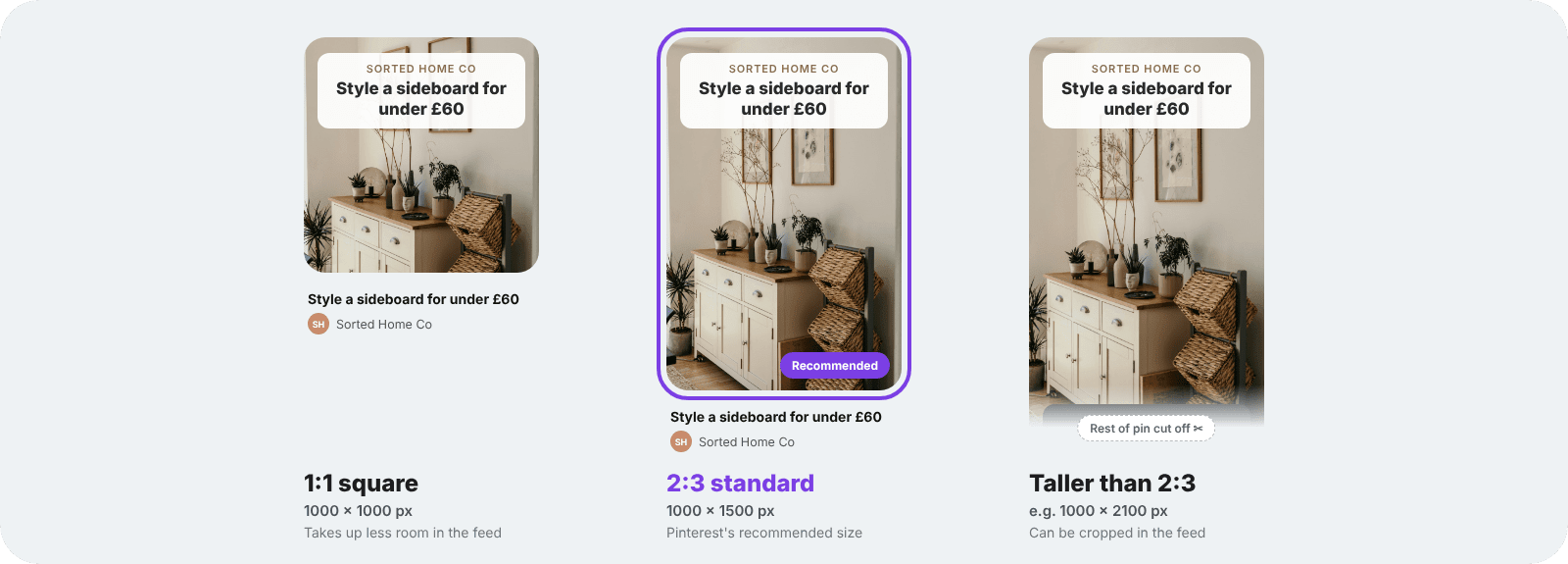
- Build pins at the right size
Pinterest displays a 2:3 ratio, so 1000 by 1500 pixels sits at the standard. Anything taller gets cropped in the feed and loses whatever you put at the bottom.
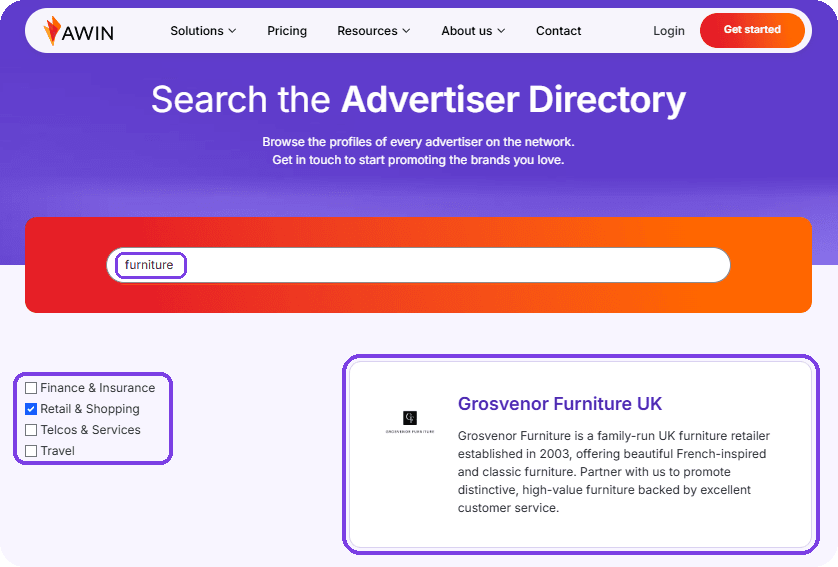
Browse what runs in your sector before committing to one. The Advertiser Directory lets you browse brands by sector and see which retailers pay commission in the categories you pin.
Registration is free. Create your free Awin publisher account and start generating links.
Choosing what to promote
Start with what your boards already cover. An account built around interiors converts on furniture and homeware. The same account promoting supplements earns nothing, however good the commission rate looks.
- Check the commission rate before the product. Plenty of creators start on Amazon Associates for the easy sign up, then move on once they see what other programmes pay. Rates vary by sector and by brand, so two retailers selling similar products can pay very different amounts.
- Favour products people plan for. Pinterest users research ahead of buying, which suits considered purchases over impulse ones. Furniture, appliances, wedding suppliers and holiday gear all fit that pattern.
- Look at cookie windows. Someone saving a pin in January might buy in March. A longer window means that sale still counts as yours.
- Promote things you would recommend anyway. A board fills up over years, and a run of pins chosen for their commission rate sits there permanently for anyone scrolling back.
Why pins keep earning
A pin outlives a post on any other platform. Search brings people to it months later, saved pins resurface when someone revisits a board, and seasonal content comes back round every year.
Pinterest confirms this in its own documentation.

Source - pinterest pin and performance help
What that means in practice: work you did in March can still be earning in November. A wedding pin picks up traffic through every engagement season. A Christmas gift guide goes quiet in February and returns in October.
Only one other platform behaves this way. A review filmed once keeps answering searches for years, which is why YouTube suits affiliate content for the same reasons Pinterest does.
Driving clicks but no sales
Getting clicks with nothing behind them is the most common complaint from creators on Pinterest. Four things usually explain it.
- The pin promised something the page did not deliver. Someone clicks a styled shot expecting that exact product and lands on a category page full of alternatives. Match the pin to the destination and the drop off shrinks.
- The audience was wrong for the product. Traffic from a general inspiration board behaves differently from traffic arriving at small kitchen storage. Specific boards bring people closer to buying, which is the same reason niche communities convert on Facebook where broad pages struggle.
- The purchase window closed. Cookie windows vary by programme, so someone who clicks in January and buys in March may fall outside it. Check the window on any programme where people research before committing.
- The tracking never fired. Test your own links before a pin goes live, and check clicks in your reporting rather than relying on the retailer's dashboard alone.
Your Awin reporting shows clicks and conversions side by side, so you can tell a mismatch problem from a tracking problem.
Disclosure on Pinterest
Commercial content has to read as commercial before someone gets into it, and a pin gives you very little room to say so.
- Open the description with it, where it stays visible without anyone expanding the pin
- Stick to "ad" or "#ad", which the ASA accepts where terms like affiliate and gifted fall short
- Cover every pin carrying a link, including older ones you go back and update
- Repeat it on the destination page whenever the pin leads to your own site
Pinterest asks for transparency in its own guidelines, so this protects the account alongside the compliance position.
Flat fees for posts work on different terms. Our influencer partnerships hub sets out how those arrangements run.
The ASA publishes detailed guidance on labelling affiliate content.
Questions about Pinterest affiliate marketing
Can you do affiliate marketing on Pinterest?
Yes. Pinterest has allowed affiliate links since 2016, provided you disclose the commercial relationship and send people where your pin says you will.
Do you need a website for Pinterest affiliate marketing?
No. Pointing pins straight at product pages using your tracking link works without one. A website gives you room to write reviews, compare products and collect email addresses, which is why many creators add one later.
Can you make money on Pinterest in the UK?
Yes. UK creators join the same networks and promote the same retailers as anywhere else. Commission comes from the brand rather than Pinterest, so your location matters less than whether the products suit your audience.
How many followers do you need?
None. Pinterest has no follower minimum for affiliate links, and pins reach people through search rather than a follower feed. Your followers see new pins first, which gives Pinterest an early signal about whether to show a pin more widely, so an engaged small audience does more than a large passive one.
Is Pinterest better than Instagram for affiliate links?
Pinterest suits affiliate links better in one respect. Every pin carries its own link, where Instagram restricts links to your bio and Stories. Pinterest also keeps working for months after you post. Instagram reaches an audience that already follows you, which suits products needing a personal recommendation.
Ready to start
Pick one board you already post to and a product that belongs on it. Create a pin, add your tracking link, and check the click registers in your reporting.
Pinterest rewards consistency more than volume. A few well-made pins a week in one niche will teach you more than fifty scattered across five.
Home, food and lifestyle brands run programmes across the network. Sign up and start earning commission